Two lists. One workspace.
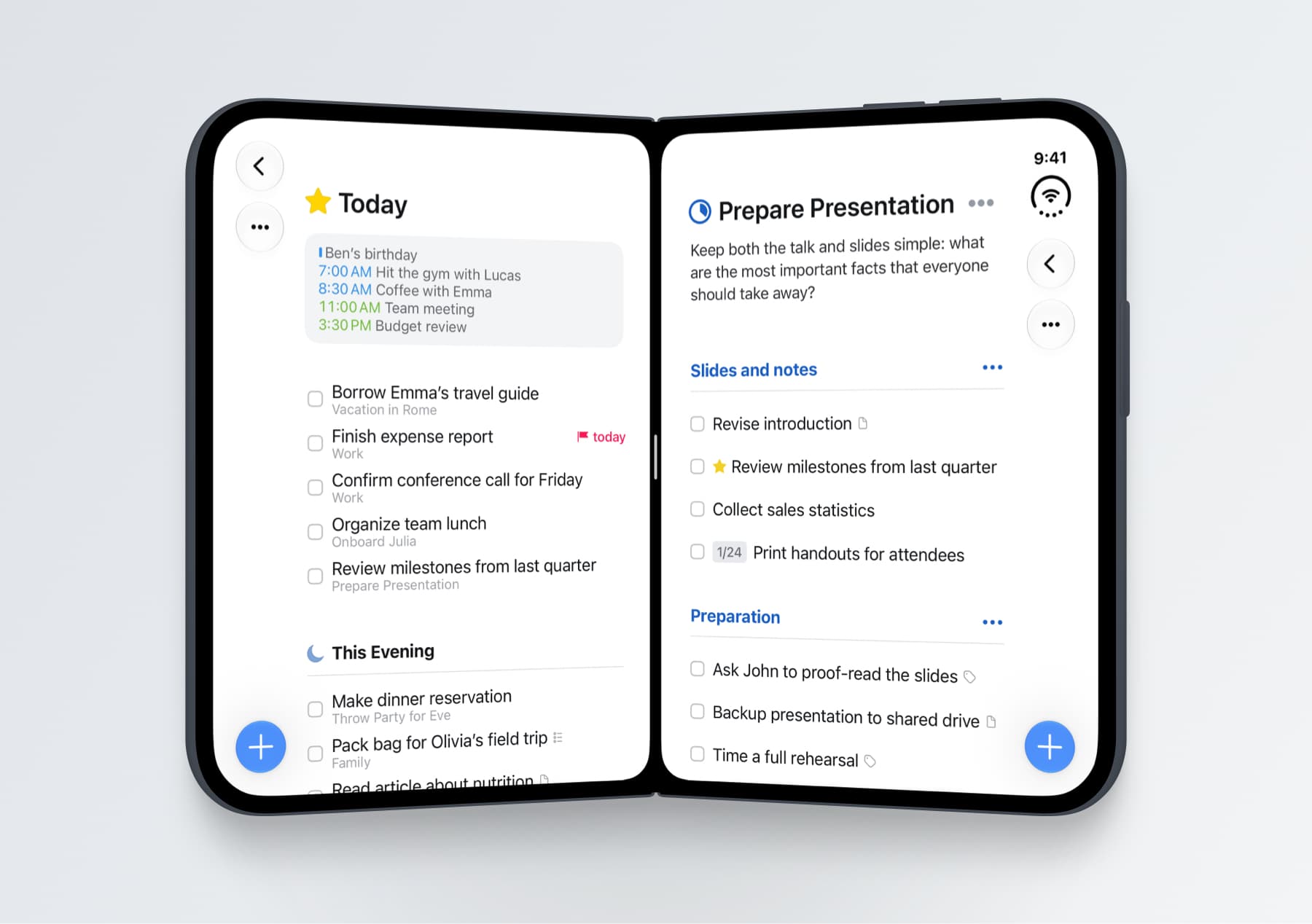
Open two Things windows and drag tasks between lists.

CULTURED CODE · PRODUCTIVITY
Developer confirmed · Not device-tested by DuoReady
THINGS ON IPHONE DUO
Focus on what’s next, closed.
Unfold to see the bigger plan.
A CLOSER LOOK
Tap the image to enlarge ↗
Images from the developer announcement. These are developer-provided views, not DuoReady device tests. Original source ↗
WHAT YOU GET
Open two Things windows and drag tasks between lists.
Landscape adds a sidebar; portrait automatically gives the list the full view.
The right-hand toolbar includes draggable Magic Plus. A hardware keyboard unlocks shortcuts.
ⓘBorders, continuity during folding, and extended use: no DuoReady hands-on record yet.
VERSION NOTES
Fixes a list title appearing behind the Dynamic Island when expanding a task or editing a heading.
Introduces Duo layouts, a sidebar, multiple windows, drag and drop, and hardware-keyboard support.